

RNG Editor
Edit video by describing it.
Pick your footage, choose a style and write what you want. Claude cuts, captions, adds music and renders it. You watch, leave comments at any moment, and the next version appears.
Early release · v0.3.0 · 127 MB · Linux, 64-bit · Mac and Windows are coming
How it works
- 1
Describe the edit
Drop in your footage, pick a style and say what it should be, in plain words.
- 2
Claude edits
He plans it, waits for your OK, then cuts, captions, zooms, adds music and renders. You can follow every step and reply.
- 3
Watch and comment
Press N at any moment to leave a comment. Send them, and the next version appears by itself.
Made to be used every day
Styles
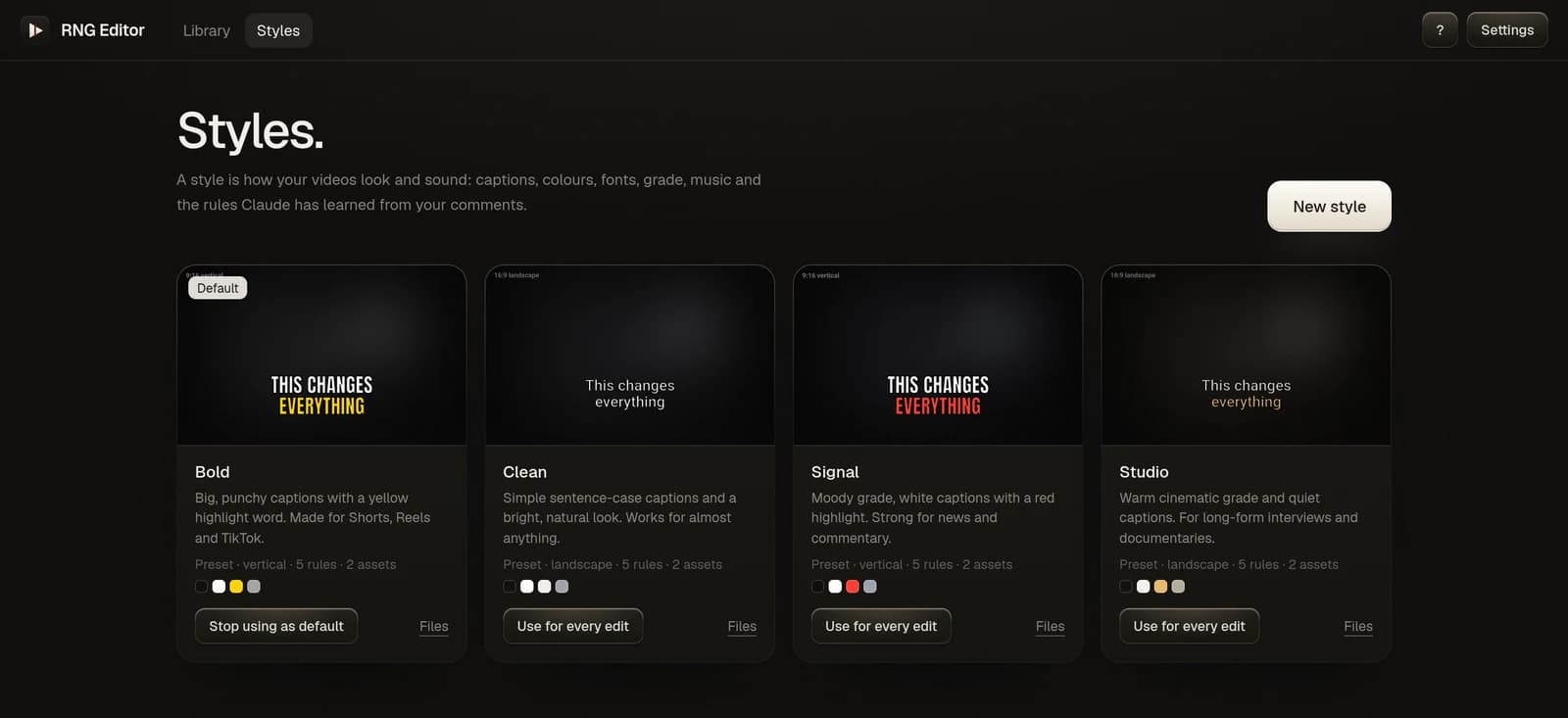
Start with Clean, Bold, Signal or Studio, or make your own from your colours, fonts, logo and intro. Set one as the default and it is used every time.
Comments that stick
Tick "make it a permanent rule" and Claude remembers it for every edit in that style from then on.
Every version kept
Flip between v1, v2 and v3, with the cut, overlays, music and sound laid out on a timeline.
Folders
Projects group themselves by style, and you can make your own folders and drag projects in.
Quality checks
Every render is checked for sync, loudness, dead air and frozen frames before you see it.
Talk to Claude
Ask for changes, answer his questions or approve a plan, right next to the video.
Private by design
- Everything stays on your computer: your footage, your edits, your comments.
- Your conversations are between you and your own Claude account.
- RNG Editor has no analytics and collects nothing about you.
- Found a problem? You can report it if you want to. You see the whole report first, and you send it yourself.
What you need
- A Claude account with Claude Code (the app walks you through it)
- Linux, 64-bit
- An NVIDIA graphics card is strongly recommended
- About 10 GB free for the editing tools, installed once on first launch
Install
Download the file, make it runnable and open it:
chmod +x rng-editor-0.3.0-linux-x64.AppImage && ./rng-editor-0.3.0-linux-x64.AppImageIf it does not start, install FUSE 2 (libfuse2 on Ubuntu and Debian, fuse2 on Arch).
SHA-256 7e52a02fa3bf7ece98cdac1806684a0443e0b117532f26d36e13a84457fbbfd3